Stop chasing the details after they sign.
Ask for the policy number, the date of birth, the spouse’s name. They answer on their phone, sign once, and every answer is printed on the document and sent to your system.
Everything else on Siglio stays 25¢ an envelope. Data collection is the one feature that starts with a conversation.
A signed document with blanks on it isn’t done.
You send the application. It comes back signed, with the policy number missing and the spouse’s name skipped. Now someone calls, waits, types the answers into your system by hand, and hopes they match the PDF.
Siglio puts the questions in front of the signature. Required ones have to be answered before they can sign, and nobody retypes anything.
Three steps, and the last one is a single tap.
Mark the questions on your PDF.
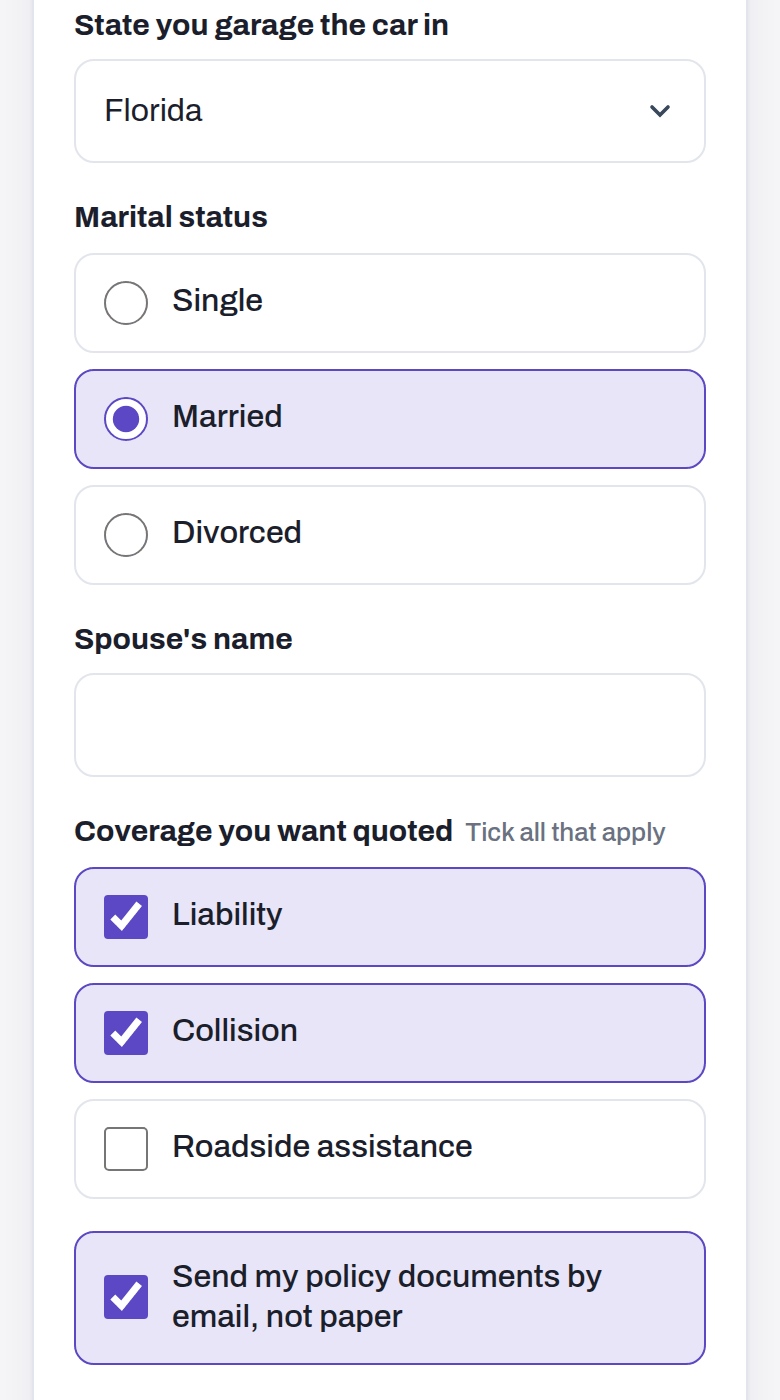
In the studio, the They fill in tools put a box where each answer goes. You type the question once. Text, dropdowns, checkboxes and pick-one choices, required or optional.
Rules sit right next to each question: Show this only when and Require this when. No code. If you’d rather build it in your own app, the API takes the same thing.

They answer on their phone.
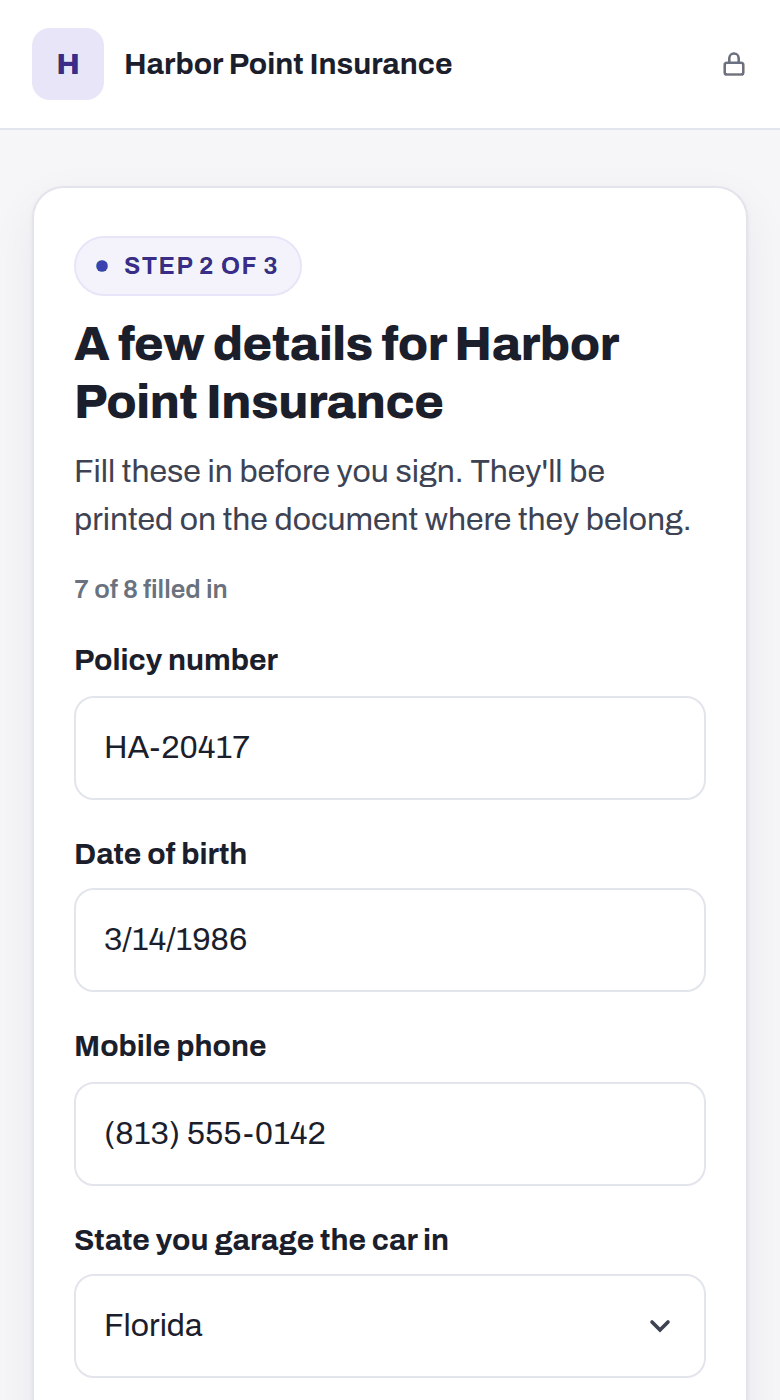
“A few details for” your company, one question to a row, big inputs. Phone numbers get the number pad, emails get the email keyboard, and dates and phone numbers are checked as they type.
Answers save as they go, so someone who gets interrupted picks up where they stopped. Then they review the document with their answers in place.
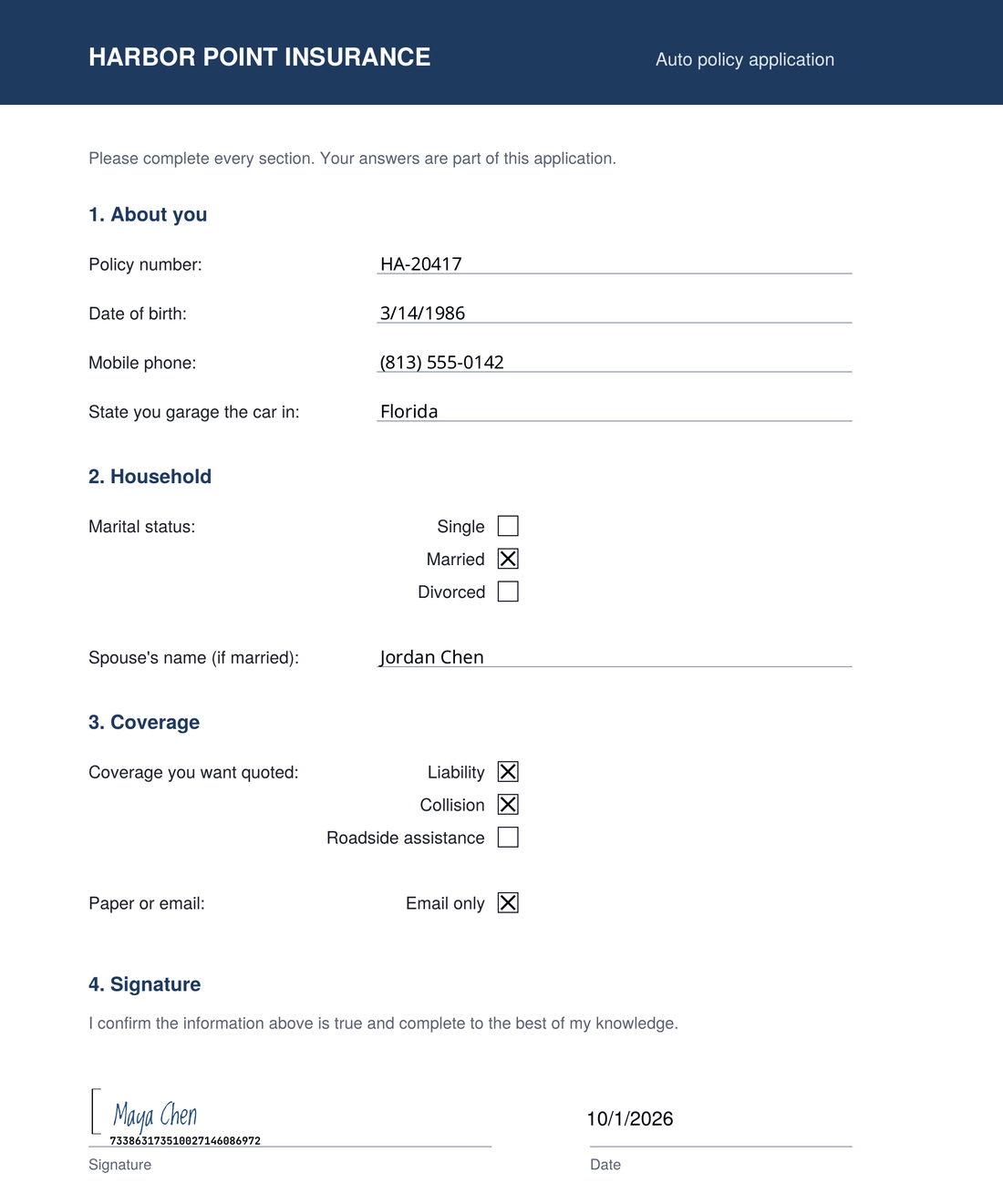
One tap signs it. Every answer lands twice.
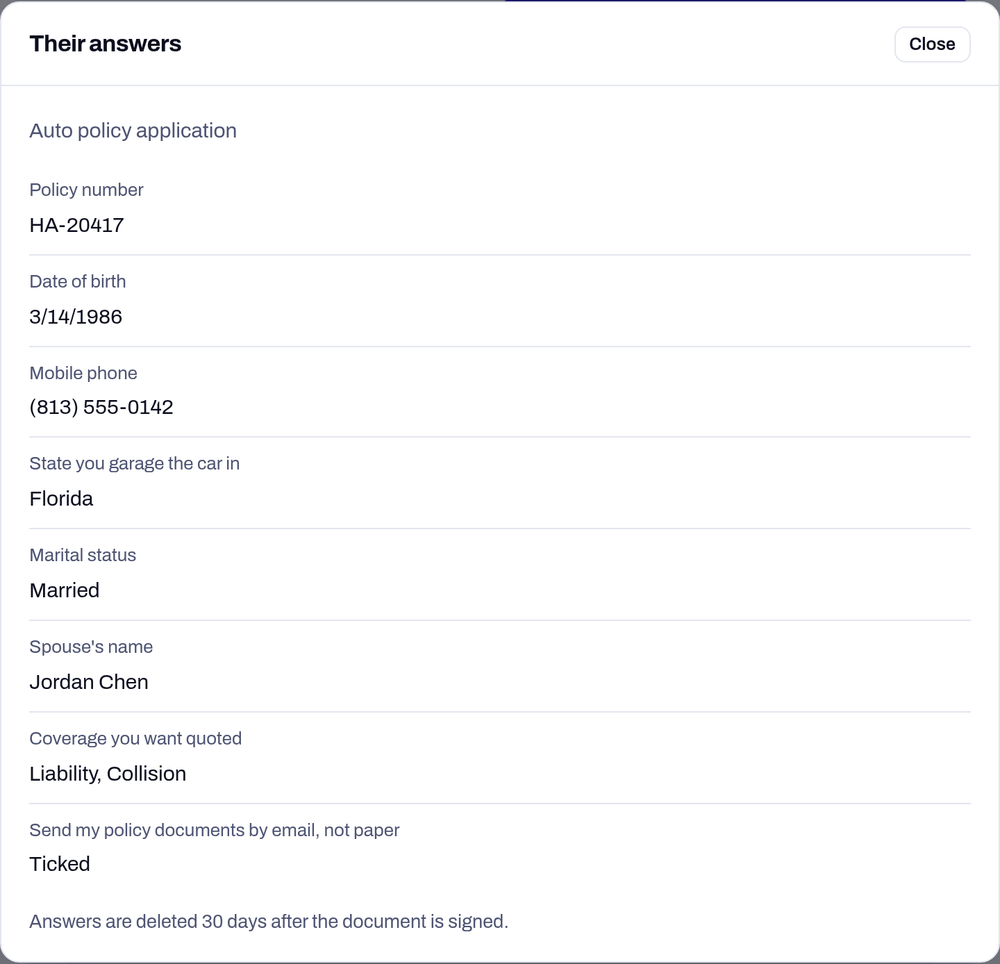
On the signed PDF, each answer is printed exactly where it goes, and ticks and choices get an X in their box. In the studio, View answers on the sent document shows them as a list.
Over the API, the same answers arrive as JSON in your webhook, ready to drop into your own system.
The questions a real application has.
Ask only what applies to them.
A question can show up, or become required, based on an earlier answer. Group rules cover the rest: choose exactly one, at least N, at most N, or only one of these.
The signer sees each rule in plain words built from your labels:
Choose one of: Single, Married, Divorced.
Rules are checked again on the server when they sign, so a required answer can’t be skipped by editing the page.
Answers come back as data, not a PDF to retype.
Signer 1’s answers arrive with envelope.partially_signed, everyone’s with envelope.completed, and both are on GET /v1/envelopes/{id}. Each value comes back in its own type.
"field_values": [
  { "name": "policy_number", "type": "text", "value": "HA-20417" },
  { "name": "phone", "type": "text", "format": "phone", "value": "8135550142" },
  { "name": "marital_status", "type": "radio", "value": "married" },
  { "name": "coverage", "type": "checkbox_group", "value": ["liability", "collision"] },
  { "name": "paperless", "type": "checkbox", "value": true }
]
Mark the questions with tags in your PDF (^M, ^T, ^C, ^R), then give them labels and rules in form_fields. The full reference is at docs#answers.
Proof without exposure.
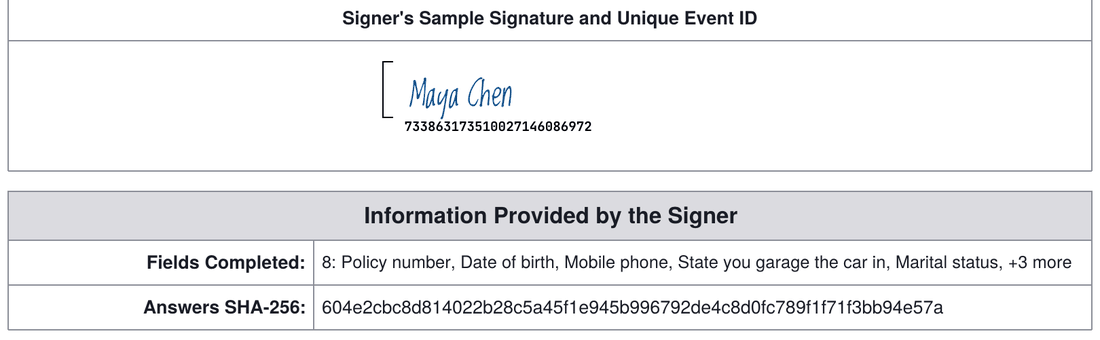
- The signing certificate lists which questions were answered and a SHA-256 fingerprint of the answers. Never the answers themselves.
- That proves what was given and when, without repeating personal details on a page that travels with the document.
- Answers are deleted 30 days after the envelope closes, the same as the files. The fingerprint stays.
- View answers in the studio shows only the last four digits of an SSN.
Before you ask.
Do I need the API?
No. The studio places the questions and sets the rules, and View answers shows what came back. The API is there when you want answers to land in your own system automatically.
What does Enterprise cost?
Talk to us. Everything else on Siglio stays 25¢ an envelope, with text and email included and no seats.
What happens on an account without Enterprise?
Signature, initials and date work on every account. The They fill in tools show with an Enterprise badge and don’t place anything, and the API refuses answer fields with feature_not_enabled.
Can the signer change an answer after reviewing?
Yes. The review screen has a Change an answer button that takes them back to the form. Once they tap Sign, the answers are final.
Get the details with the signature.
Tell us what your documents ask for and how many you send. We’ll turn data collection on for your account.