No monthly fee.
Your signer doesn't always check email.
Send it by text too.
The e-signature API that sends by text and email in one call. Tag a PDF, POST it, and your first envelope is out the door in minutes.
Most people sending a contract don't need an API.
“I just need this signed.”
Upload the PDF. We mark where people sign. You click to confirm and hit send. First one out in about two minutes, and your first 25 are free. No code, no integration, no credit card.
“I'm building something.”
Give Claude, ChatGPT or Cursor this one line and it sets Siglio up for you:
It asks what you're sending, writes the code, and sends a real document from your 25 free ones. Sign it and you're up and running. How this works
Already in Claude Desktop? Skip the code. Add the Siglio MCP server and ask Claude to send it. Two-minute setup
curl -X POST https://api.esigndev.com/v1/envelopes \
  -H "Authorization: Bearer sig_..." \
  -H "Idempotency-Key: order-41882-contract-1" \
  -H "Content-Type: application/json" \
  -d '{
    "document_name": "agreement.pdf",
    "document_base64": "JVBERi0xLjQK...",
    "delivery": "both",
    "signer": {
      "name":  "Jane Smith",
      "email": "jane@example.com",
      "phone": "+18135551212"
    },
    "sender": { "company_name": "Your Company" }
  }'
Collect money in the same link they sign with.
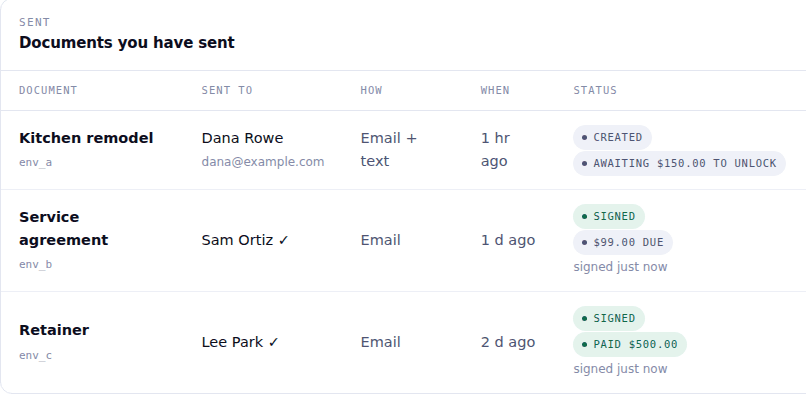
Connect your Stripe account once. Then any document you send can collect a payment, before they can sign or right after they do. Money lands in your Stripe, not ours. Same 25 cents a document.
- After signing. They sign, and the payment link follows on its own, by the same text or email.
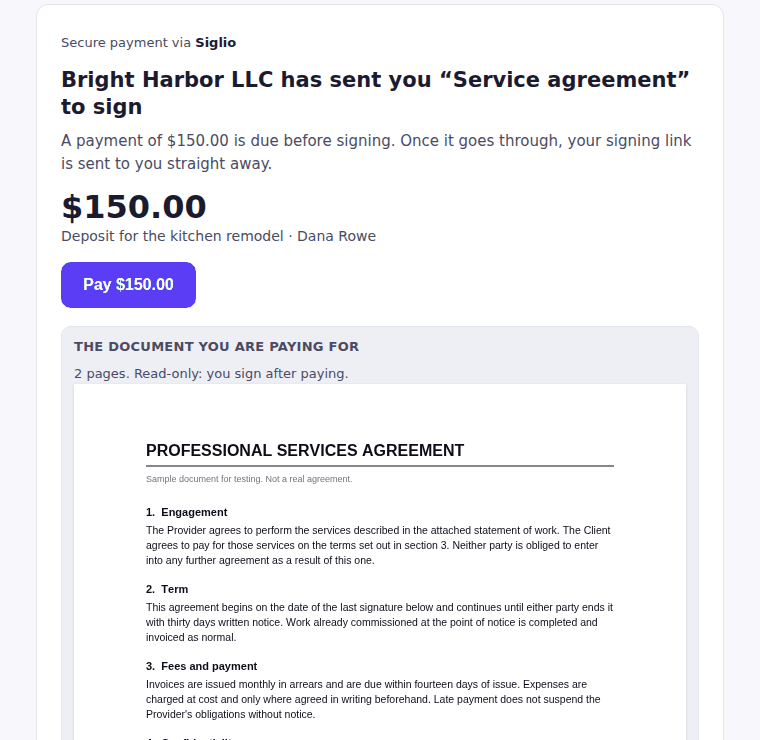
- Before signing. They see the document, pay, and the signing link unlocks.
- Your Stripe, your money. No fee from us on top of Stripe's card fees. A document held for payment isn't billed until it goes out.
Get the ID and the signature in the same link.
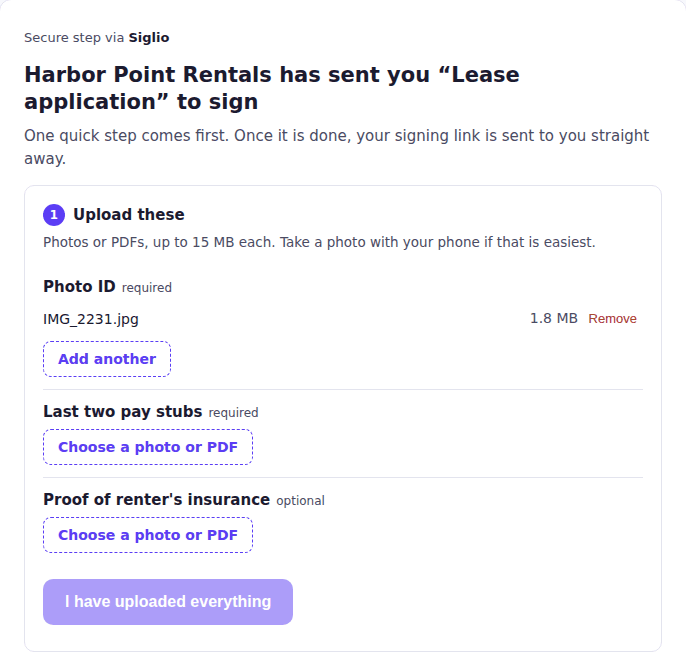
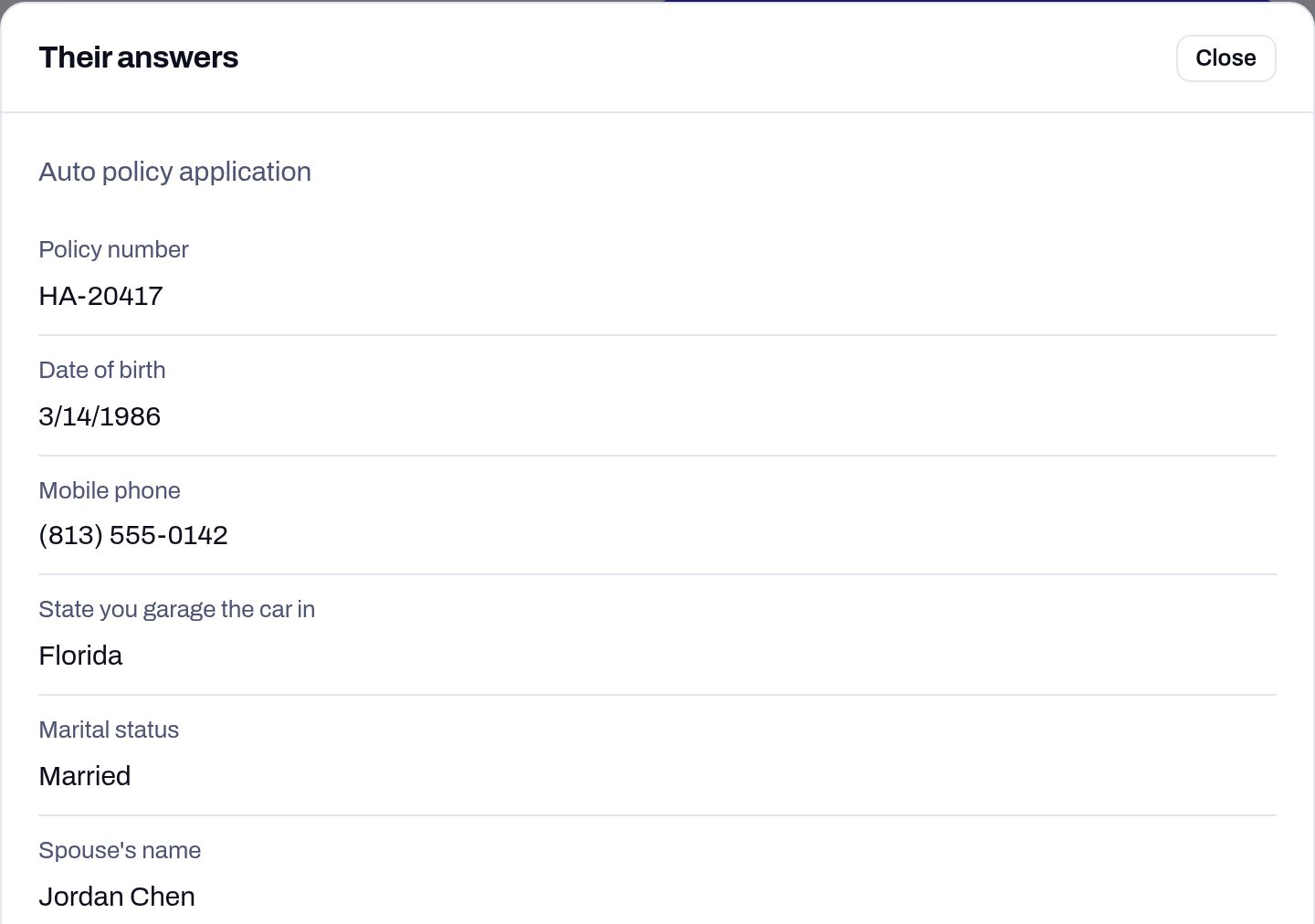
Ask for up to five files with any document: a photo ID, proof of insurance, a W-9. Your signer snaps a photo on their phone and it uploads. Want them before the signature? The signing link waits until the files are in.
- Before signing. No files, no signing link.
- After signing. They sign, then the upload link follows on its own.
- Photos from any phone. Shrunk on the phone before upload, so even a big one goes up in seconds.
Files stay with the document; you download them from your Sent list. Nothing is emailed. Ask for a payment on the same document and it's one link, one page: signature, payment and paperwork, not three.
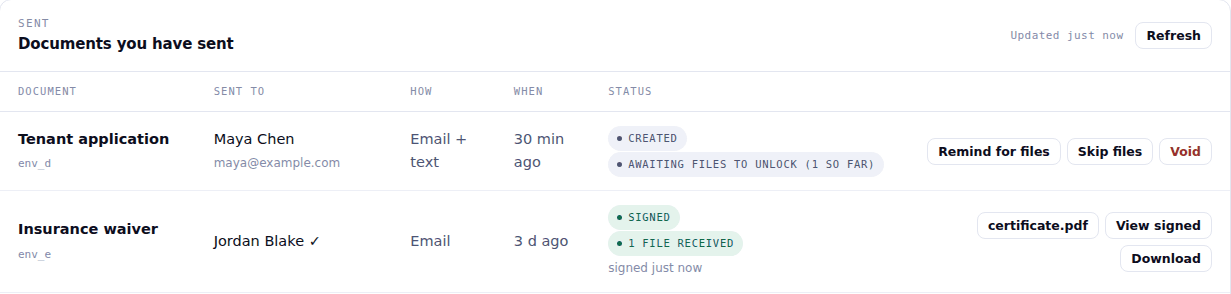
Get the answers and the signature in the same link.
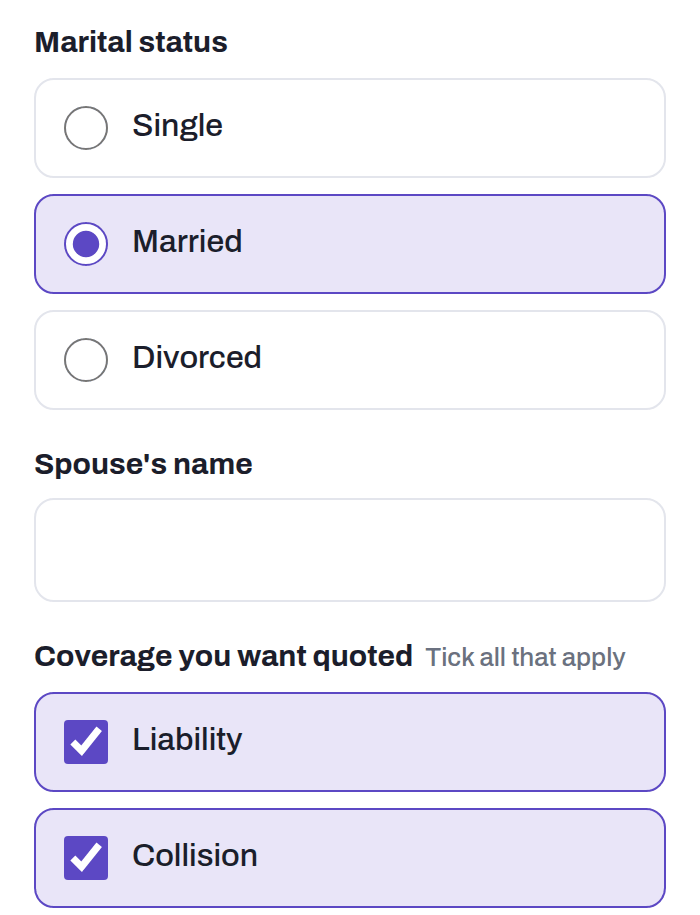
Ask for the policy number, the date of birth, the spouse’s name. They answer on their phone before they sign, and every answer is printed on the document and sent back to you.
- Text, dropdowns, checkboxes and choices. Phone, email and date formats are checked as they type.
- Rules. Ask for the spouse’s name only when they pick Married. Required answers have to be in before they can sign.
- Answers back as data. View answers in the studio, or JSON in your webhook.
Data collection is an Enterprise feature. Everything else stays 25 cents a document.
The e-signature API: tag a PDF, POST it, get a webhook.
You build the PDF and drop anchor tags where the fields go: ^S1 for the signature, ^D1 for the date. White text on a white background, so the tags are invisible to the reader and still sitting in the text layer where we can find them.
Post the file with your signer details. We deliver by email, SMS, or both in parallel, and fire a webhook when it's signed. Download the signed document there and keep your own copy.
No drag-and-drop field editor. No coordinate maps. Templates if you want them, never required. One endpoint and a PDF you already know how to generate. There's no sales call between you and a sent document, and the first send is minutes of work, not an afternoon.
HTTP/1.1 201 Created
{
  "id": "env_k7m2v9x3q1",
  "state": "delivered",
  "delivery": "both",
  "signers": [{ "name": "Jane Smith", "signing_url": "https://esigndev.com/s/..." }]
}
Send your first document in about two minutes.
Free document signing that works the way your customers already do: you send a document for signature, they open a text or an email, and they sign on their phone from wherever they are.
- Upload your PDF. Up to 3 MB. If it's in Word or Google Docs, save it as a PDF first.
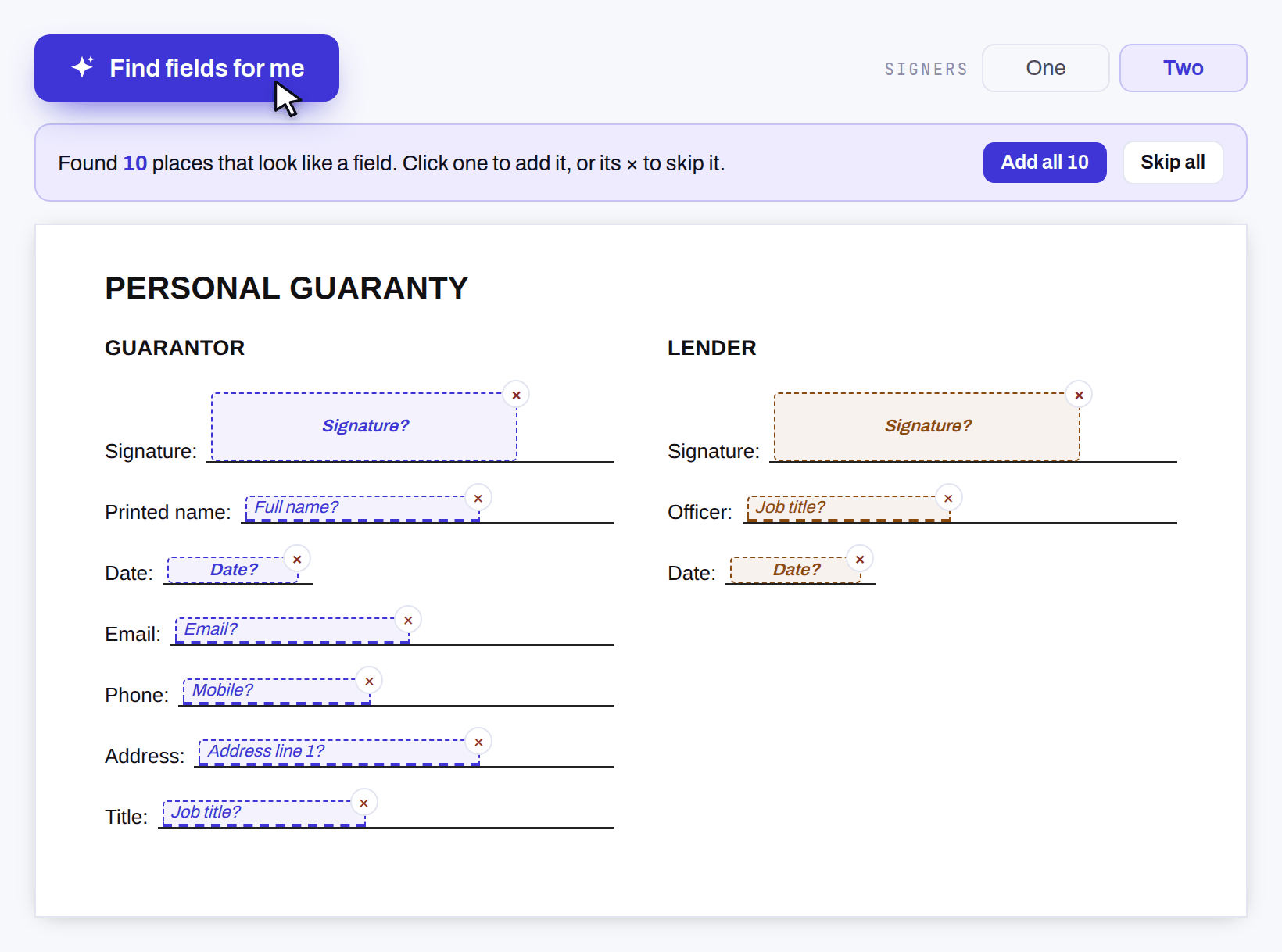
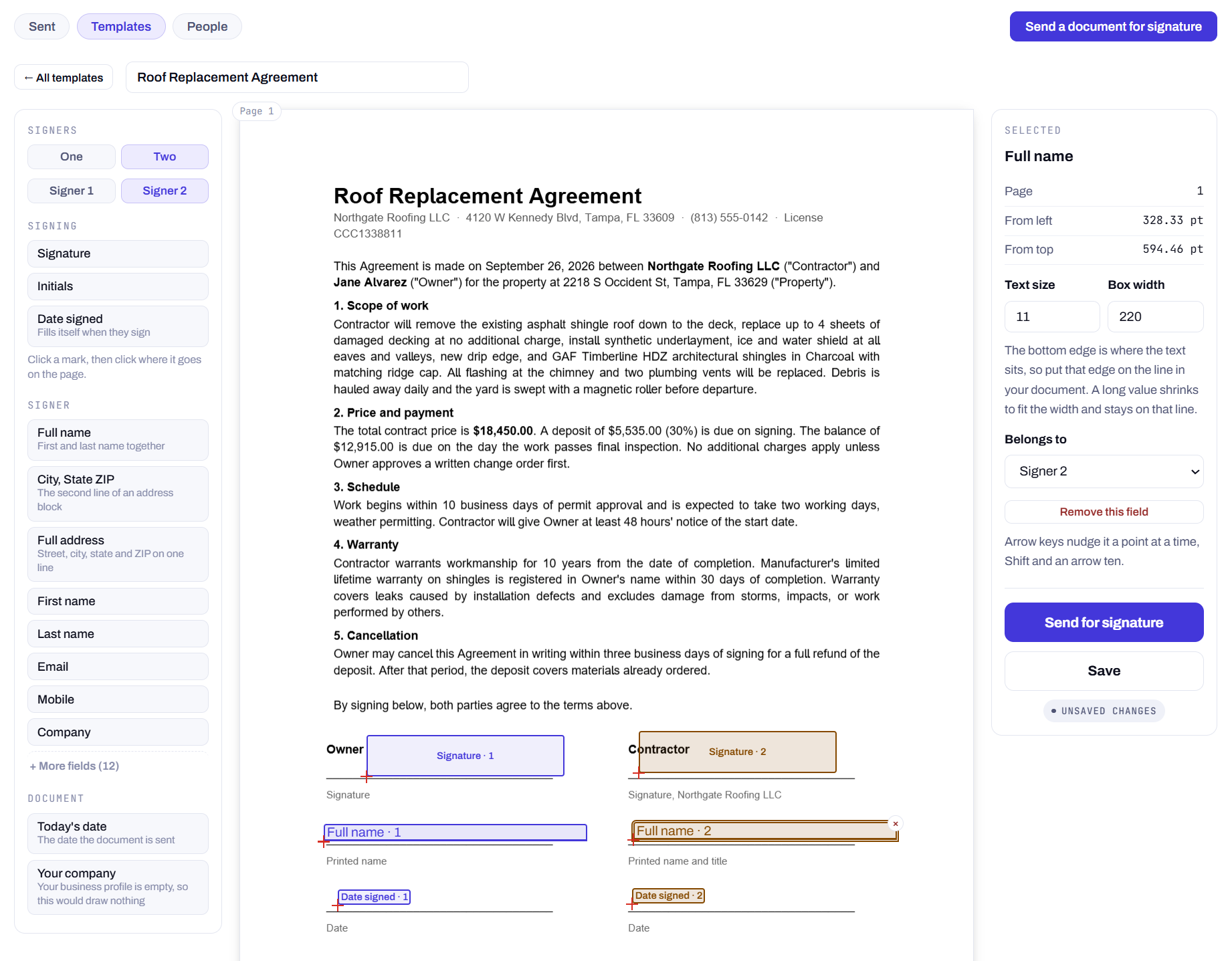
- We mark where they sign. The studio reads the labels on your page (Signature, Printed name, Date) and suggests a box for each. One click adds it, one click skips it. Anything it missed, click to place.
- Send by text, email, or both. Track it from the Sent tab.
Your assistant can send the contract itself.
Add the Siglio MCP server to Claude Desktop, or any MCP client, and ask it to send a document. It sends by text or email, tells you who has signed, downloads the signed copy and any files they uploaded, and cancels an envelope if you change your mind. Five tools. Nothing to write.
Paste this into claude_desktop_config.json, restart Claude, and say “send lease.pdf to Jane for signature.”
Your first 25 documents are free and deliver for real, so your first send is a real proof. The server won’t void anything without asking you first. Full setup and what each tool does
{
  "mcpServers": {
    "siglio": {
      "command": "npx",
      "args": ["-y", "siglio-mcp"],
      "env": { "SIGLIO_API_KEY": "sig_..." }
    }
  }
}
One number, and it doesn't move.
You're billed when an envelope is created, not when it's signed. If your signer declines, ignores it, or you void it, it still cost 25 cents. We'd rather you read that here than discover it on an invoice.
Collecting a payment with a document costs nothing extra from Siglio. Stripe's standard card fees apply and are charged by Stripe to your account. Asking the signer for files costs nothing extra, and a document waiting for a payment or files isn't billed until it goes out.
Text, email, or both, included in the 25 cents, in one call.
If your signers are contractors, tenants, patients, field staff, or anyone who doesn't sit in an inbox all day, a text reaches them on the phone already in their hand.
Both channels go out at the same time to the same signer, not as a fallback after email bounces, and SMS isn't an add-on charge. It's in the 25 cents.
25¢ per envelope, flat at every volume, with no monthly fee, no seats and no minimum. How that compares to other e-signature APIs, with sources.
The things you'd find out later anyway.
What are the limits?
Two signers per envelope. PDF only, 15 MB, no encrypted files. Webhooks included on every account, one endpoint per account, all event types. Bearer token auth, no JWT assembly and no consent screen.
Where do signed documents live?
With you. Signers get the completed, signed PDF by email or text, with a download link good for 30 days. You get the signed result on the completion webhook, and you should download it there and keep your own copy: Siglio deletes an envelope’s files 30 days after it completes. Your archive is your archive.
Who is behind Siglio?
Siglio is built and operated in Tampa, Florida. The price, the limits and the full API reference are public on this site, and a real person answers the contact form.
Where do texts come from?
From a US business number Siglio uses for signing texts, not a personal phone. The text greets your signer by first name and links straight to the signing page.
How fast can I send the first one?
Sign up with an email address and your company name, and your API key is on screen in under a minute. The first 25 documents are free, no card required. The request is one POST: a PDF, a signer, a delivery channel.
Do I need a Stripe account to collect a payment?
Yes, your own. Connecting takes a couple of minutes from the studio and creates one if you don't have it. The signer needs nothing but a card. The money goes into your Stripe account directly; Siglio never holds it. Stripe's standard card fees apply, charged by Stripe to your account, and Siglio adds nothing on top. US dollars for now.
Can I require payment before they can sign?
Yes. Choose "Before they can sign" and the signing link is only sent once the payment goes through. Until then the signer sees the document read-only on the payment page. If they paid you some other way, mark it paid in the Sent list and the signing link goes out right away.
Can I ask the signer for their ID or insurance?
Yes. Up to five things per document, each a photo or PDF; you type what you need. The signer needs no app: they tap the link and take a photo or pick a file. The files stay with the document and you download them from your Sent list; nothing is emailed. If they never upload, remind them or skip the files and send it for signing anyway.
Who is Siglio built for?
Businesses whose signers are consumers on phones, not counterparties at desks. Home services, enrollments, settlements, intake paperwork: agreements that die when signing feels like a chore. Siglio meets the signer where they already are, in their messages, and that is why documents come back signed.
A signature is only worth the evidence behind it.
Electronic signatures have carried the same legal force as ink in the United States since 2000, under the federal ESIGN Act and, at state level, the Uniform Electronic Transactions Act. UETA is law in 49 states plus the District of Columbia, Puerto Rico and the U.S. Virgin Islands. New York is the lone holdout and runs its own Electronic Signatures and Records Act instead, which reaches the same result by a different route.
None of that is the interesting part. Neither statute makes a signature valid because a vendor says so. What survives a challenge is the record of what happened, so here is exactly what we record and what we don't.
Intent to sign
The signer takes a deliberate action to sign, on a page that shows them the document first. A signature that could be produced by accident is the kind that gets thrown out, which is why the act of signing is a separate, explicit step rather than a consequence of opening the link.
Attribution to a person
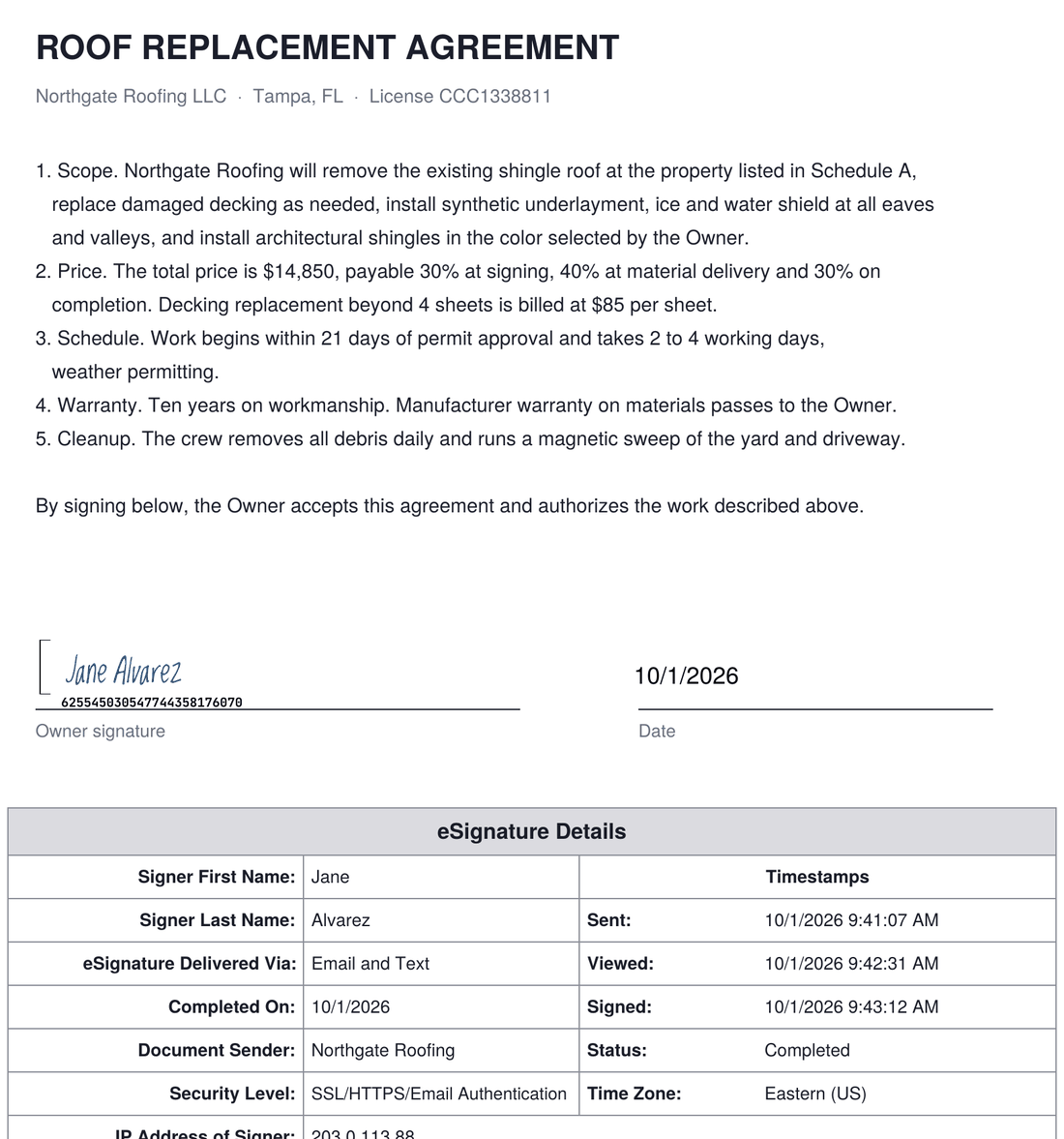
Every completed document carries a certificate page for each signer recording the timestamp of each event and the IP address it came from. On a two-signer envelope you get one page per signer, and the addresses are recorded separately, so the record shows two people rather than one person clicking twice.
A record that can't be quietly edited
The certificate travels inside the signed PDF, not in a database you'd have to ask us for. Anyone you hand the file to can open it and read the same evidence you can, without an account, a login, or our cooperation.
Retention, which is yours on purpose
ESIGN expects signed records to stay accurate and accessible for as long as the law requires for that kind of document, and those periods vary enormously by industry. We don't store your signed documents, so we can't lose them, expire them, or hold them hostage at renewal. You get the file on the completion webhook and you keep it. That is a real obligation moving to you, and you should know that before you build, not after.
We are not your lawyers and this is not legal advice. Some categories of document are carved out of both statutes, wills and certain family-law and court filings among them. If your use case sits near an edge, ask counsel rather than a vendor's marketing page.
Docs that answer the question you actually have.
Endpoints, the tag system, delivery options, the complete error table, idempotency semantics, webhook retry behavior, limits, and billing. All of it public, none of it behind a sales call.
Every endpoint has a cURL example. Every error in the reference is one your code can actually receive. And if something in there is unclear or missing, tell support, because that's how the docs get better.

Your first 25 envelopes are on us.
Sign up with an email, no card. Your free documents deliver to real inboxes and real phones, so the first thing you test is the real thing. After 25, add a card and keep the same key and the same integration.
Stuck on something? Ask through the contact form and a real question gets a real answer from someone who knows the product, usually the same day.
Start building free